
Windows 10/11 · v1.5.3
Keep Awakefor Windows
Keep your Windows PC awake — without fighting sleep, screen-off, or idle lock.
One file: KeepAwake-Setup.exe — hosted onGitLab Releases(recommended). Run installer → open from Start Menu. Free includes a 60-minute session cap.
Mirror:nakeldev.com·Code signing
Windows + Chrome
Windows
Chrome
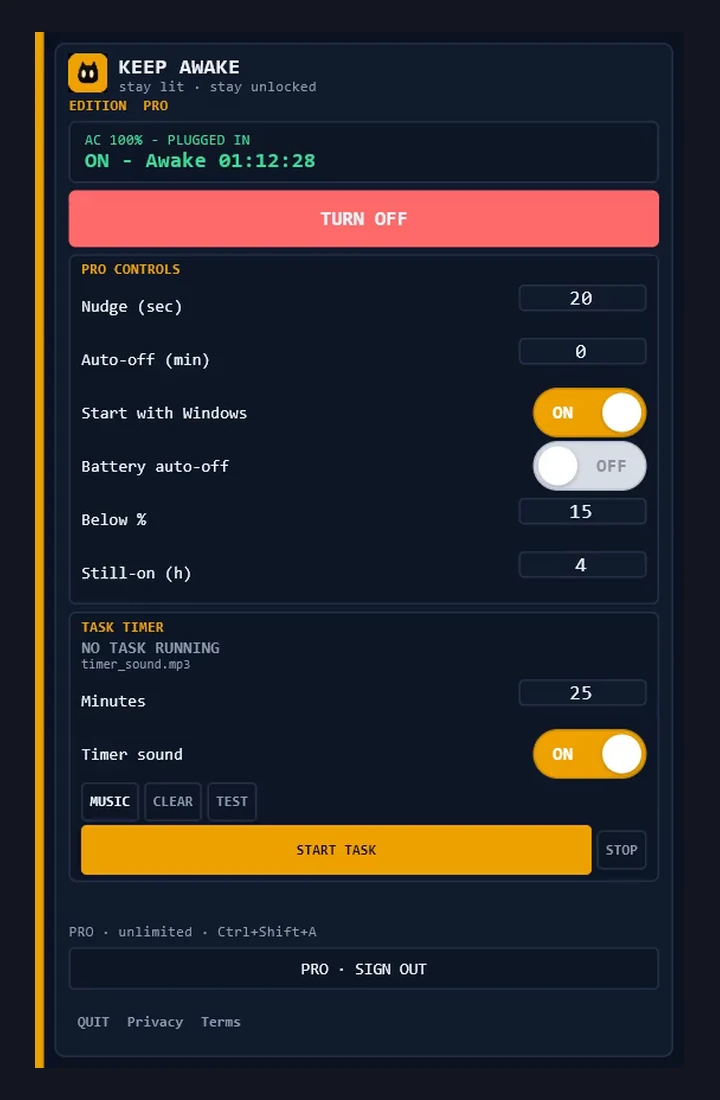
Windows UX flow
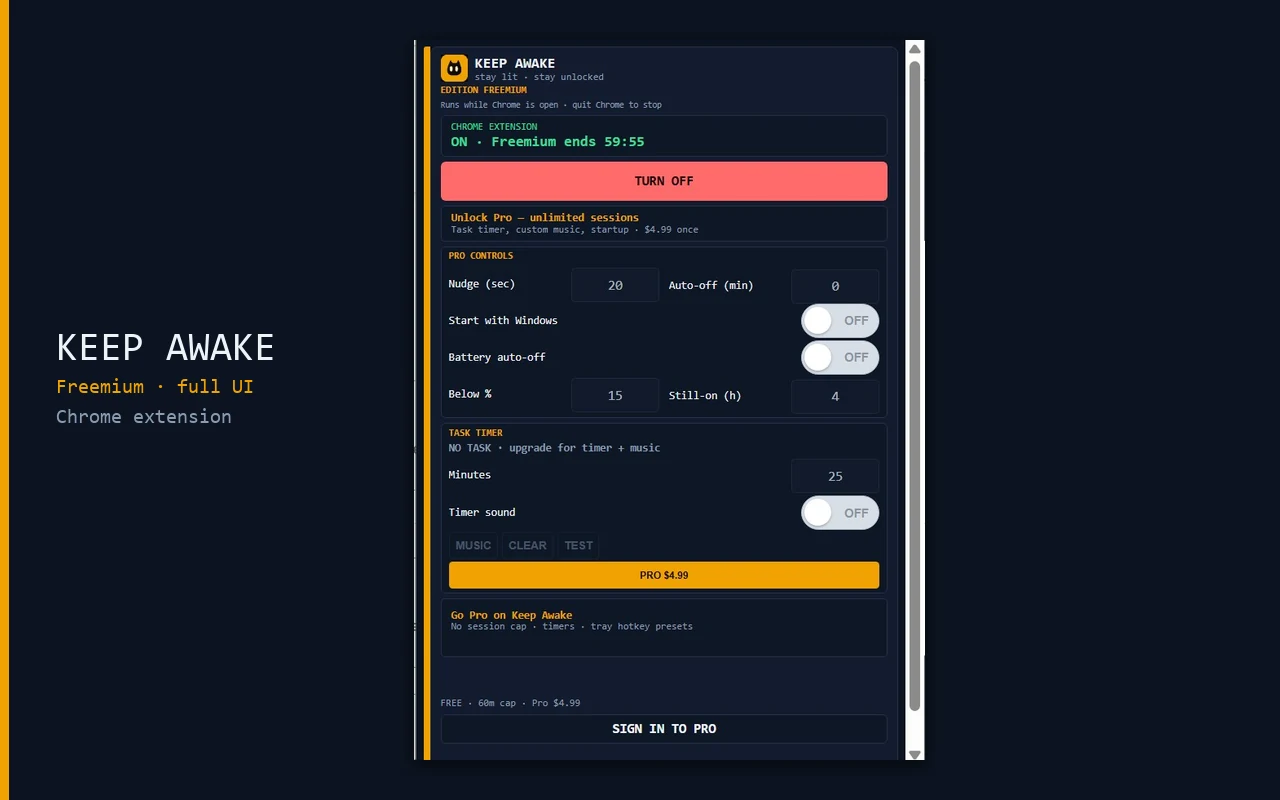
Chrome UX flow
Why Keep Awake
Built for makers, remote workers, and anyone who needs a machine that stays up without babysitting power settings.
Stay awake
Prevents sleep, screen-off, and idle lock so downloads, renders, and remote sessions keep running.
Tray + hotkey
Lives quietly in the system tray. Toggle with Ctrl+Shift+A without digging through menus.
Compact Flutter UI
Small window, fast launch — built for daily use.
Pro account
Pay once, sign in with email + password from your welcome email. One Pro works on Windows desktop and the Chrome extension (each locks on first sign-in).
Chrome extension
Same keep-awake flow in a browser popup while Chrome runs — free 60m cap, shared Pro login.
Normal Windows install
One setup.exe installs the app to Program Files with Start Menu and tray shortcuts. Uninstall from Settings → Apps.
Free vs Pro
Start free. Upgrade when you need unlimited awake time.
| Feature | Free | Pro |
|---|---|---|
| Keep PC awake | Yes | Yes |
| Session limit | Auto-off after 60 minutes | Unlimited |
| Awake duration timer | Hidden | Shown |
| Optional task timer | No | Yes |
| Custom nudge / startup extras | No | Yes |
| Chrome extension | Yes | Yes |
| Tray + Ctrl+Shift+A | Yes | Yes |
How to get Pro
Three steps from this page to an activated license.
01
Download & install
Download KeepAwake-Setup.exe, run it, and finish the installer. Open Keep Awake from the Start Menu — free 60-minute sessions.
02
Buy Pro
Enter country + email on the buy page — Bachs handles secure checkout.
03
Check your email
You'll receive a welcome email with your account email and password (separate from any Bachs receipt).
04
Sign in from the app
Keep Awake → Sign in to Pro. First login locks your account to that PC's Machine ID.
FAQ
Is there a free version?+
Yes. Free keeps your PC awake with a 60-minute session cap. Pro removes the cap and unlocks timers plus extras.
Chrome blocked the download — what do I do?+
We host the installer on GitLab Releases for safer downloads. If Chrome still warns: Ctrl+J → ⋮ → Download unverified file. Mirror: nakeldev.com/keep-awake.
Where do I pay?+
Checkout happens on Bachs at nakeldev.com/keep-awake/buy — from the Buy Pro button on this page or Upgrade in the app (same checkout). Keep Awake never asks for your card inside the app.
Does Pro work on multiple PCs?+
Each platform locks on first sign-in: one Windows PC (desktop app) and one Chrome browser profile (extension). Same Pro account covers both. Email [email protected] for a machine transfer.
Is there a Chrome extension?+
Yes. Keep Awake for Chrome uses the same UI and Pro login. It keeps your PC awake while Chrome is running — see the Chrome extension page on this site.
What Windows versions are supported?+
Windows 10/11 desktop (64-bit). After install, the app lives in Program Files like any normal Windows program.
Keep Awake for Windows
$4.99 · one-time · One Pro · desktop + Chrome